



Machine translation (AI) of our Korean post. Software checks the numbers and layout against the Korean original; no person has reviewed this translation. If anything differs, the Korean original is correct. Original post (Korean)
A record of our own visit. Not sponsored. Character illustrations were generated with GPT.
Ordered an Iced Coffee at a US McDonald’s and Got a Latte? How to Use the Kiosk (US Business Trip, Day 7)
Day 7 of our US business trip,
and this is a morning story ☀️
On the way from our lodging
to Charleston,
we stopped at a rest stop McDonald’s.
I ordered an iced coffee,
but instead of a Korean-style iced americano,
a latte came out, and I was surprised. 😅
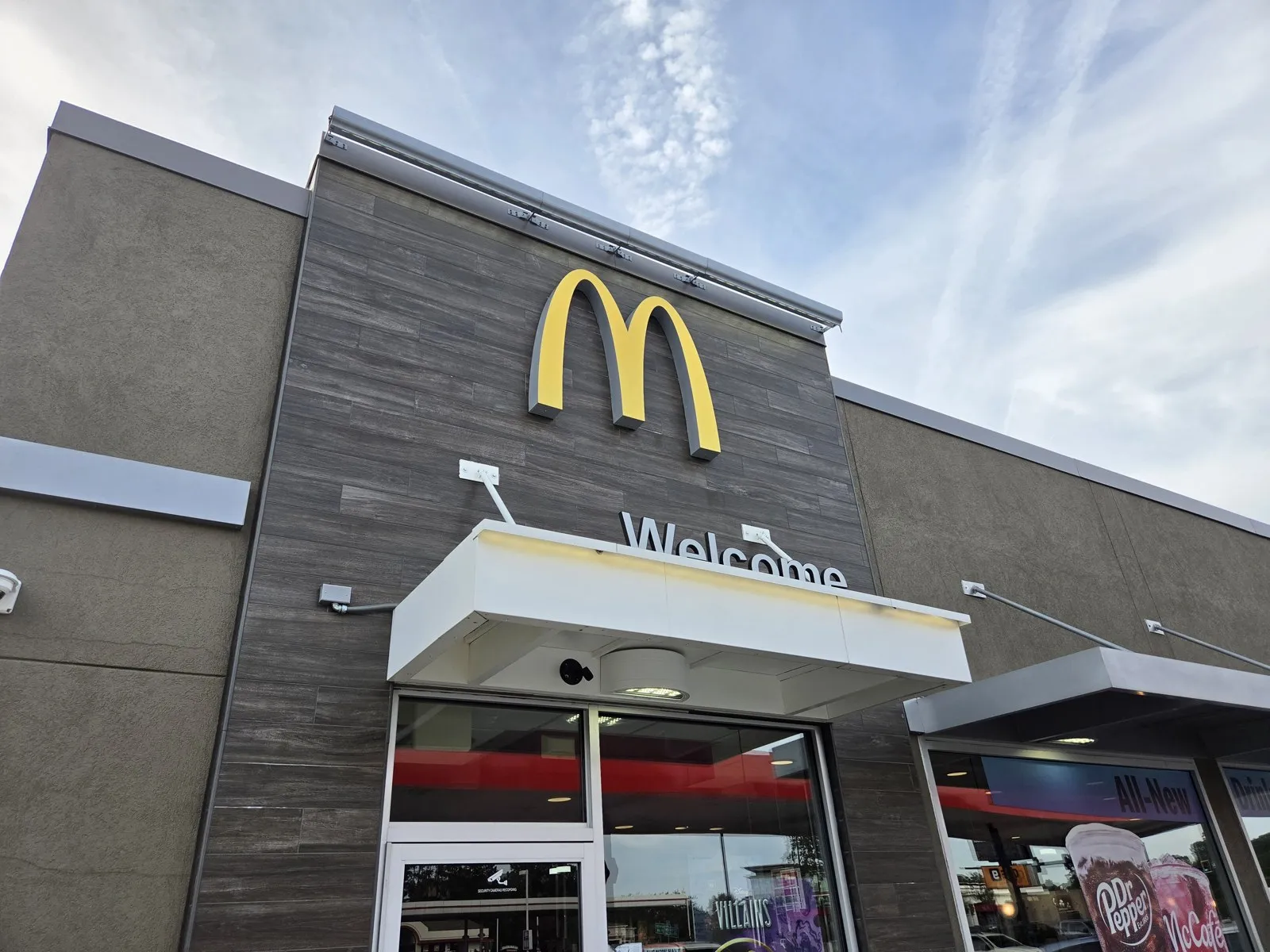
The McDonald's at the rest stop — the Welcome sign above the entrance

(next to a Mr. Fuel gas station)
☕ Order: Iced Coffee, medium, $2.00
🧾 $2.16 with tax
🥛 Not a Korean-style iced americano, but a latte-like coffee
📱 Kiosk in 9 steps — follow the photos below in order
🚗 On the Way to Charleston

We drove the highway
from our lodging to Charleston.
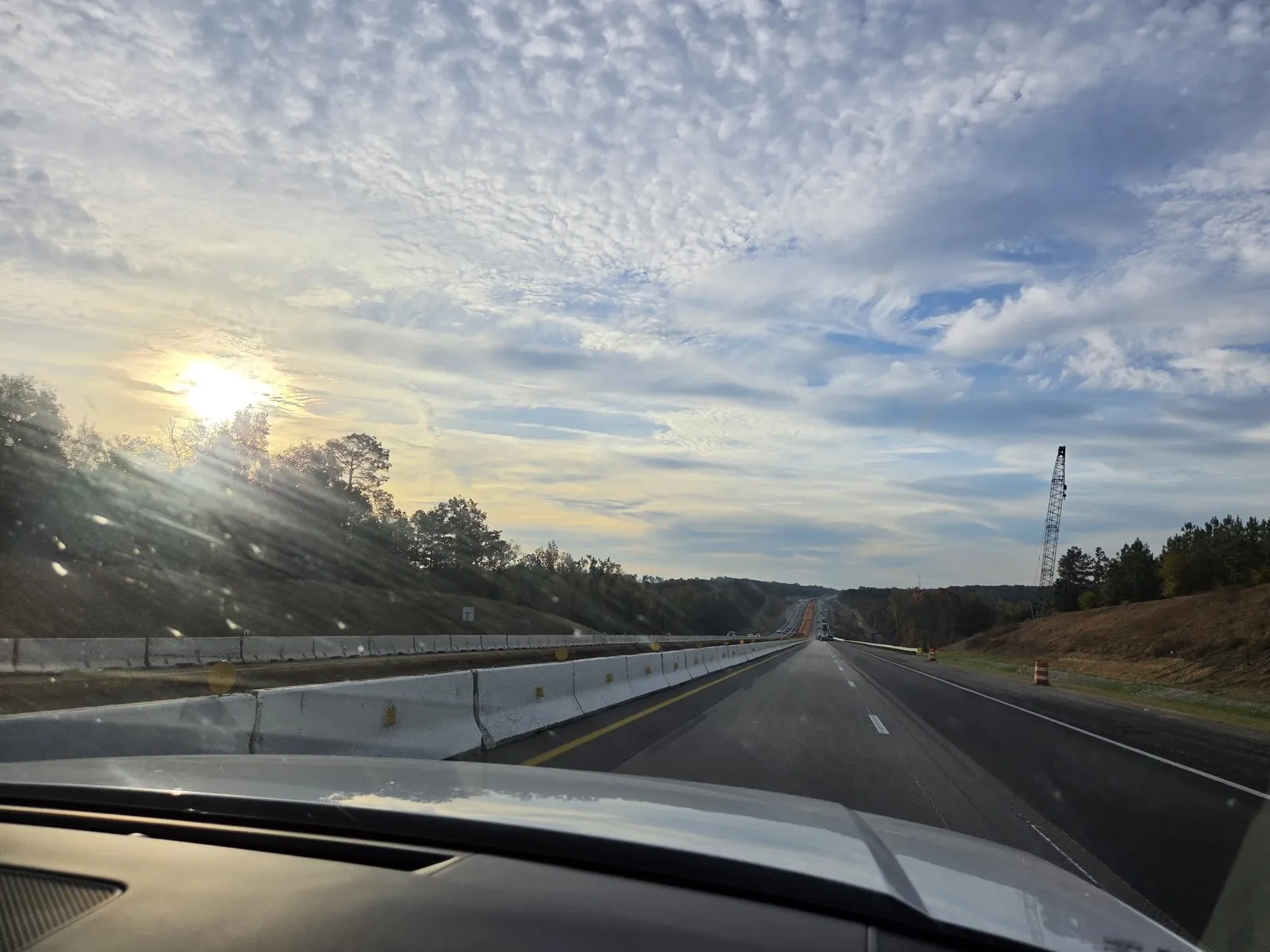
The highway to Charleston — a sky full of clouds
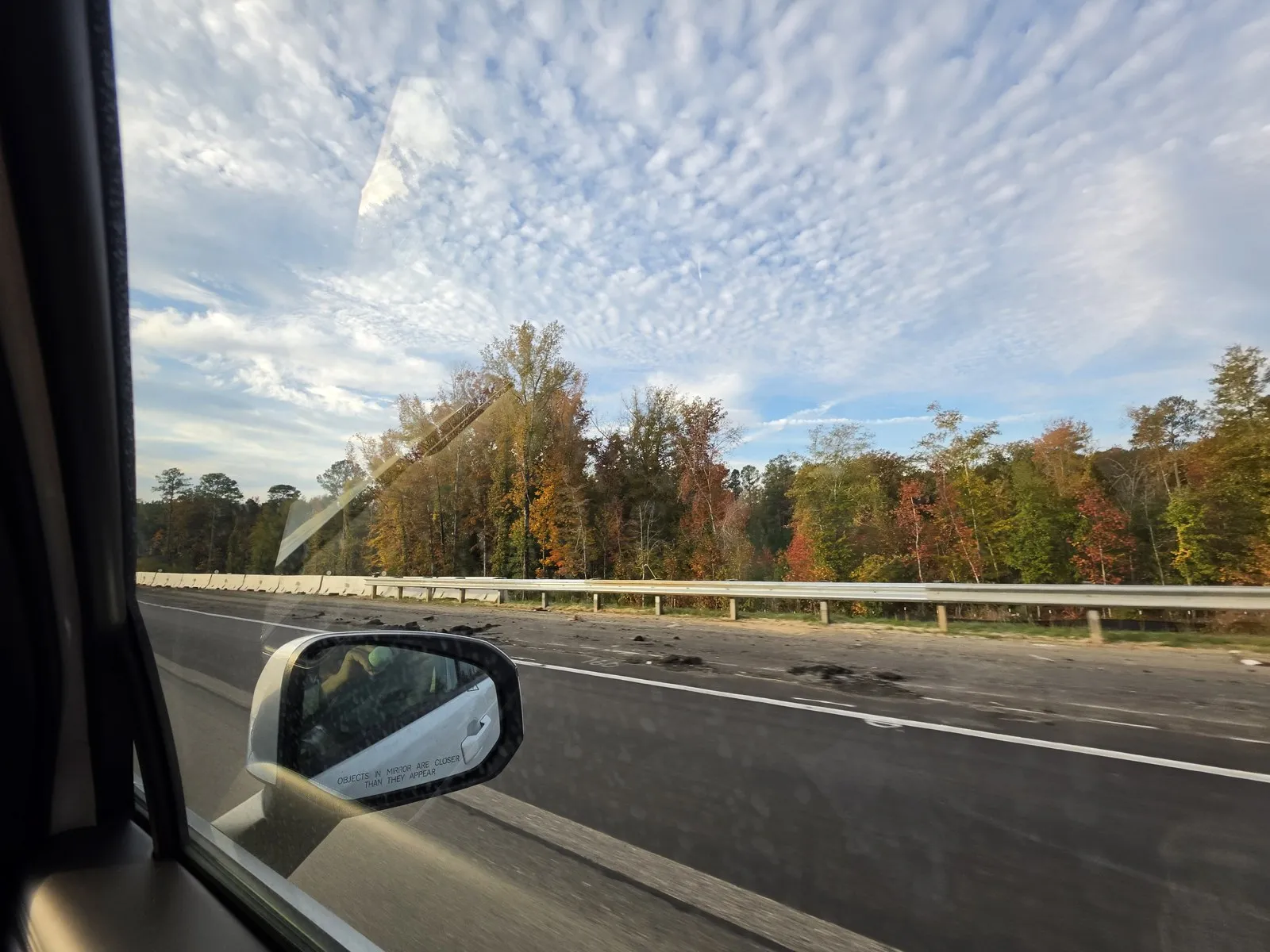
Autumn leaves turning color outside the car window
The rest stop we pulled into
was a Mr. Fuel gas station,
and right next to it
was a McDonald’s.
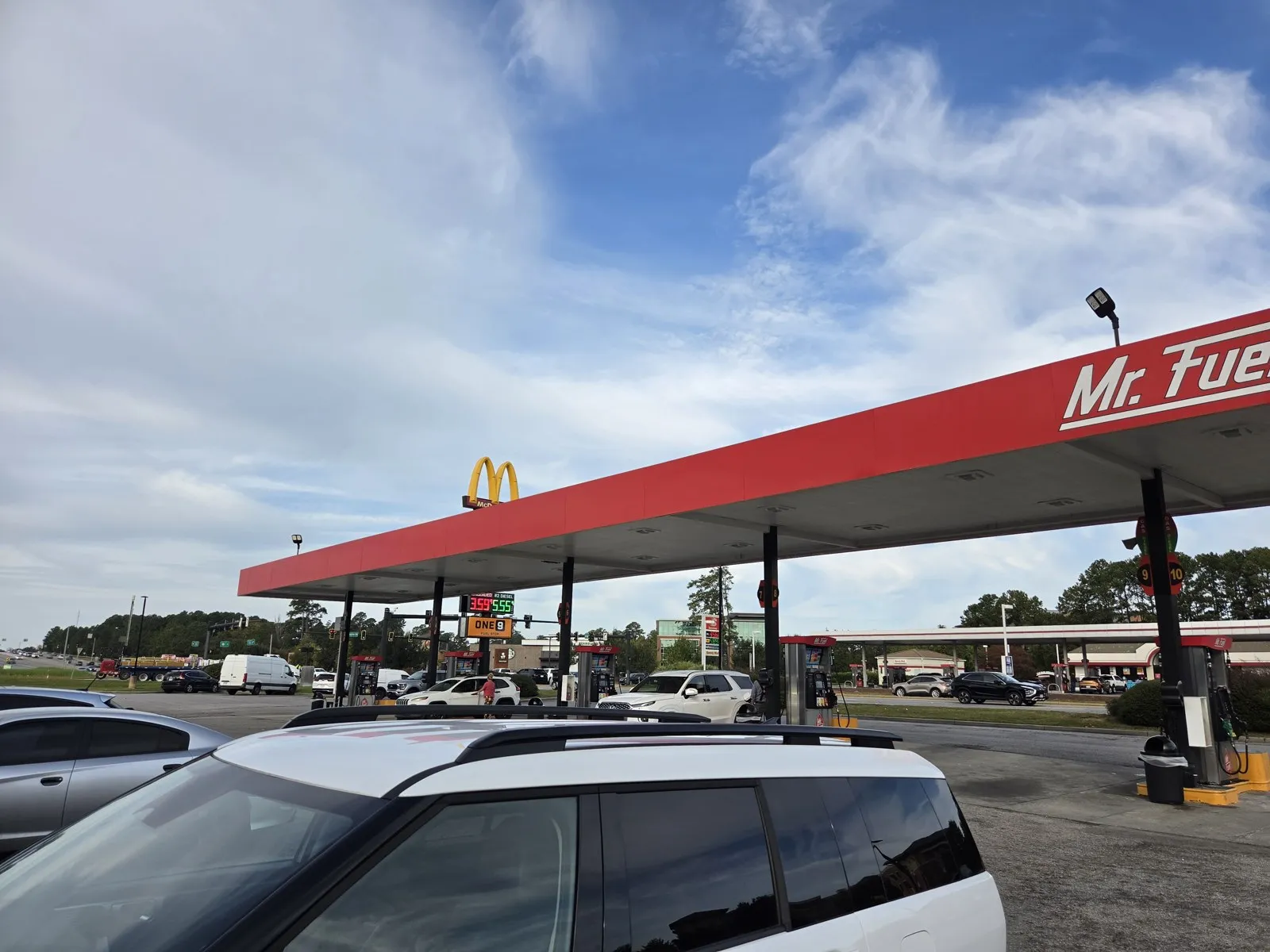
The McDonald's sign seen past the Mr. Fuel gas station
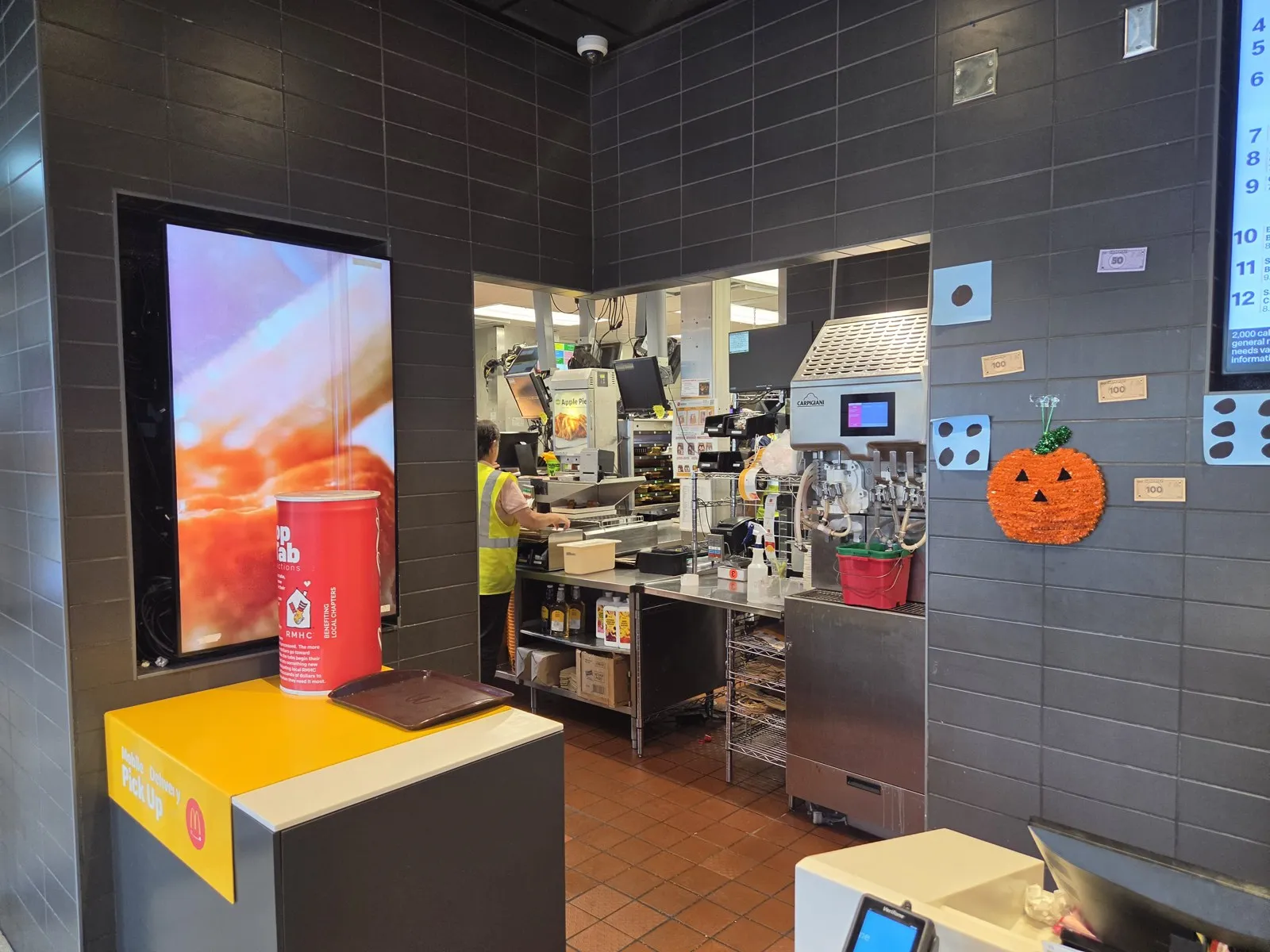
The counter — the mobile and delivery order pickup shelf, the kitchen and Halloween pumpkin decorations
📱 How to Order at the Kiosk
We ordered at the kiosk.
Just tap the red marks
in the photos, in order.
① First screen — Continue as Guest
If you’re not an app member (My McDonald’s Rewards),
tap Continue as Guest.
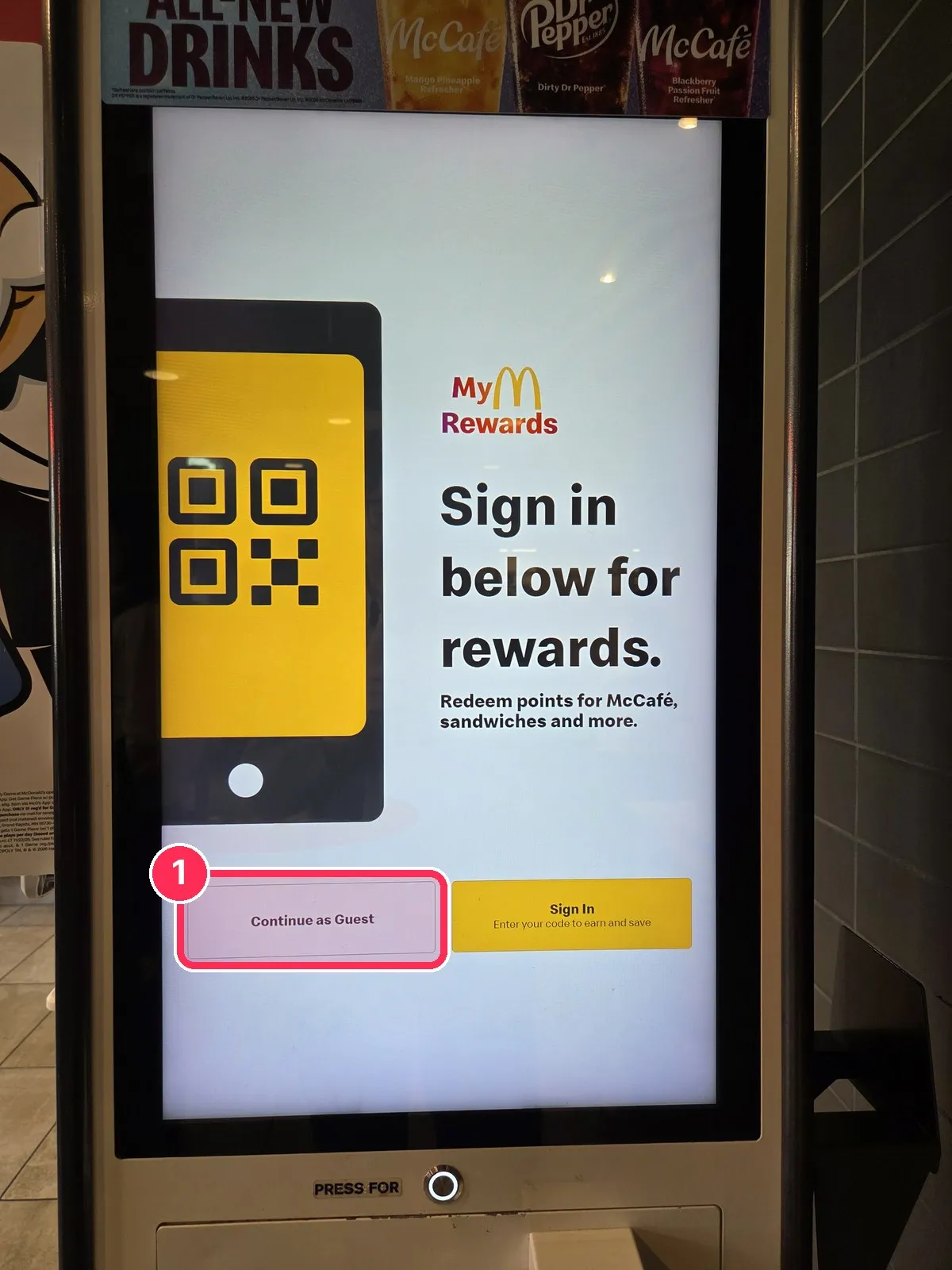
① If you're not an app member, Continue as Guest
② Menu screen — McCafé®
We went in the morning, and the
Good morning screen showed
the breakfast menu first.
For coffee, tap McCafé®
in the left menu.
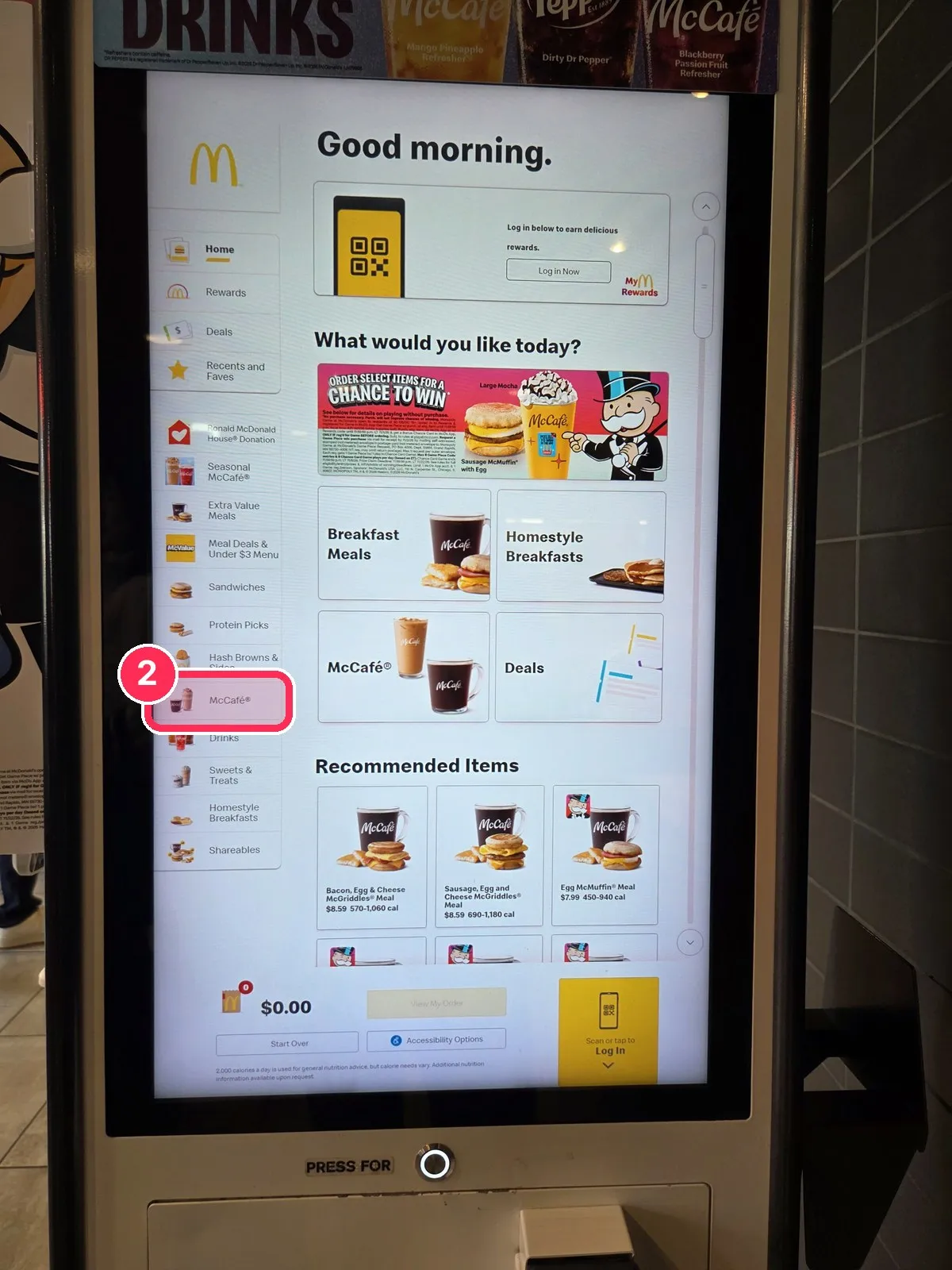
② McCafé® in the left menu
③ Choosing a coffee — Iced Coffee
From the McCafé list,
I tapped Iced Coffee ($2.00, 190cal).
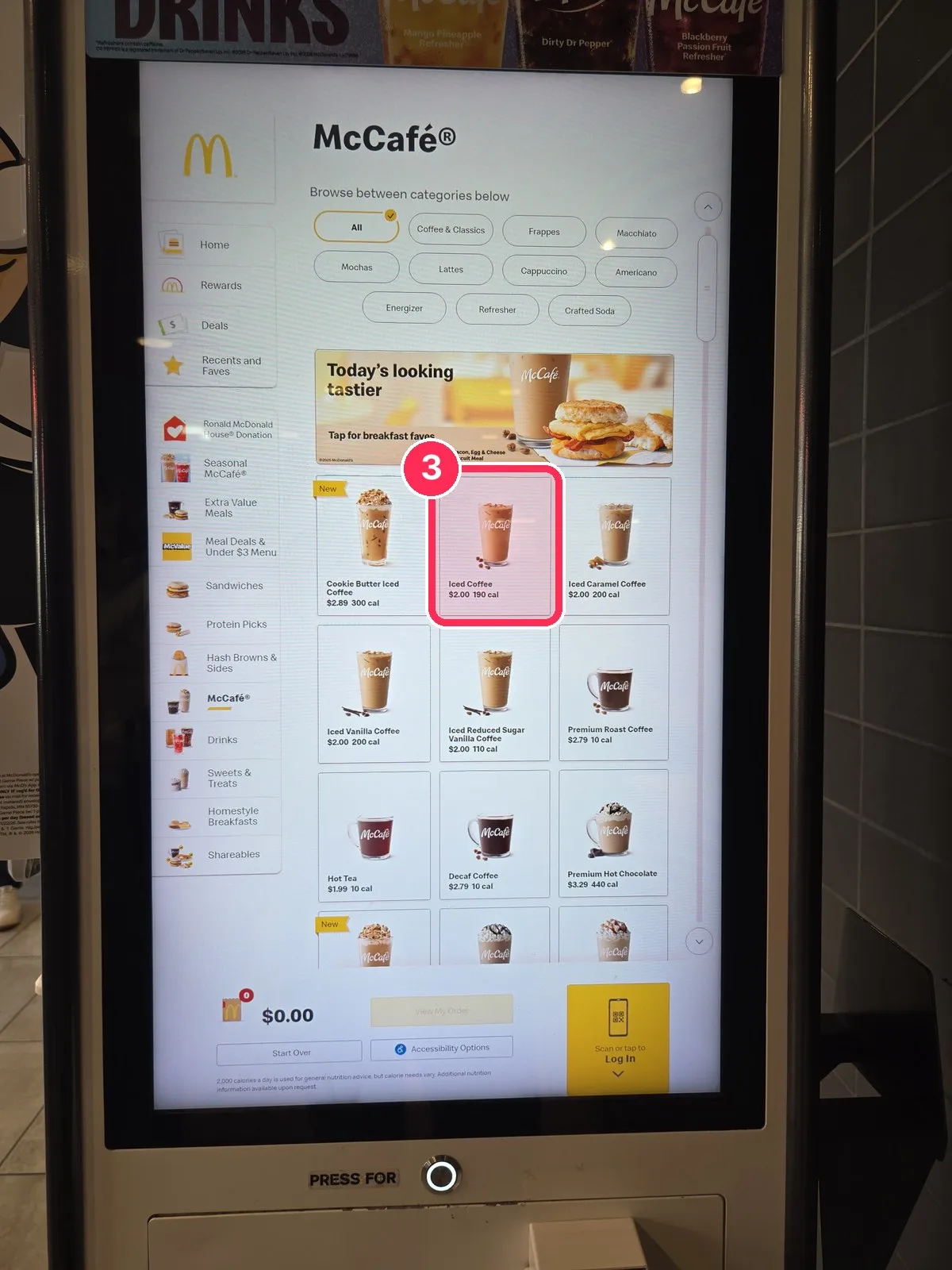
③ Iced Coffee in the McCafé list
④ Pick a size — Add to Order
You choose from M, L and S,
and that day all three were $2.00.
After choosing, Add to Order!
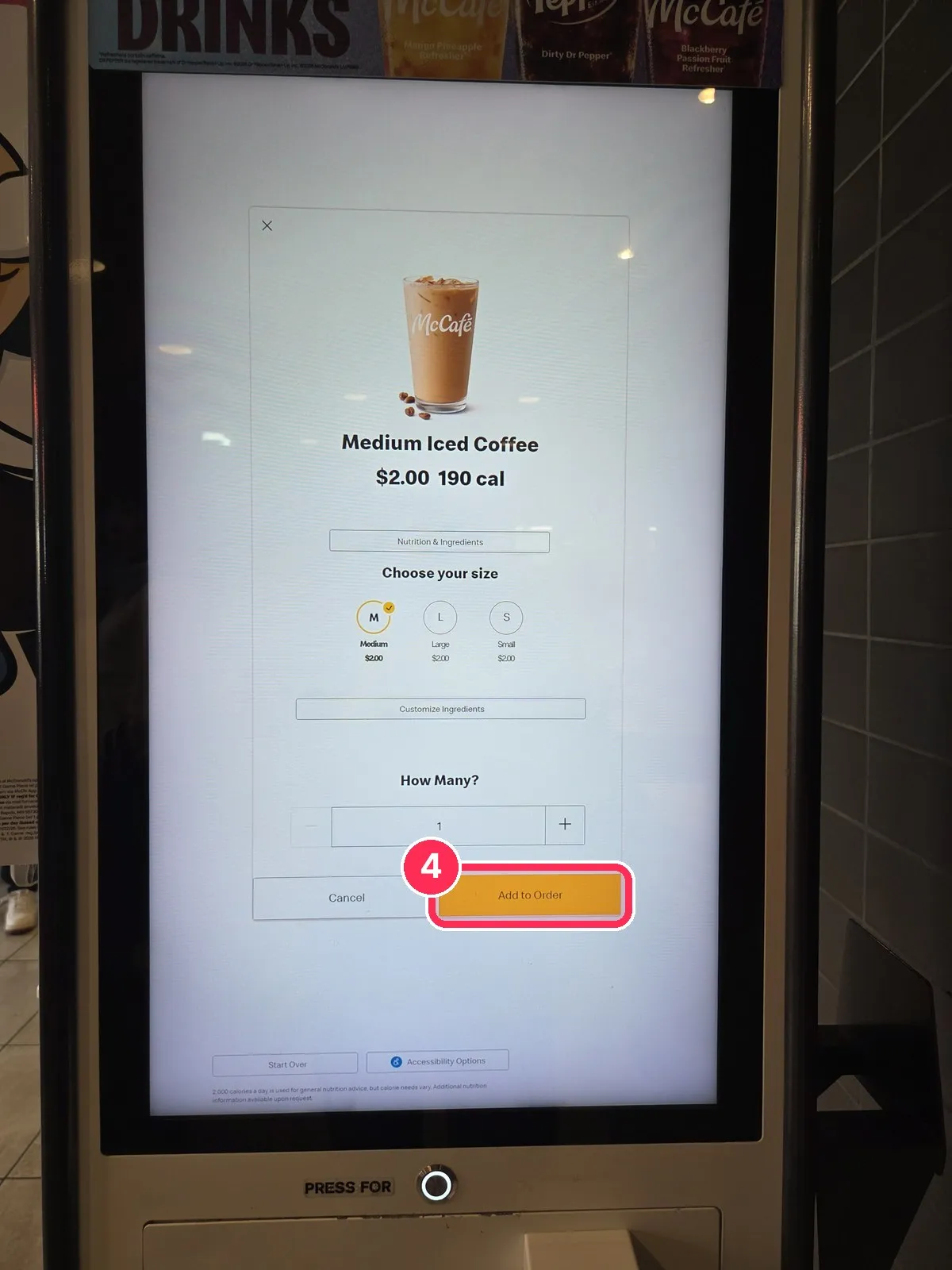
④ Choose a size and tap Add to Order
⑤ Your cart — View My Order
When the amount at the bottom changes to $2.00,
tap View My Order.
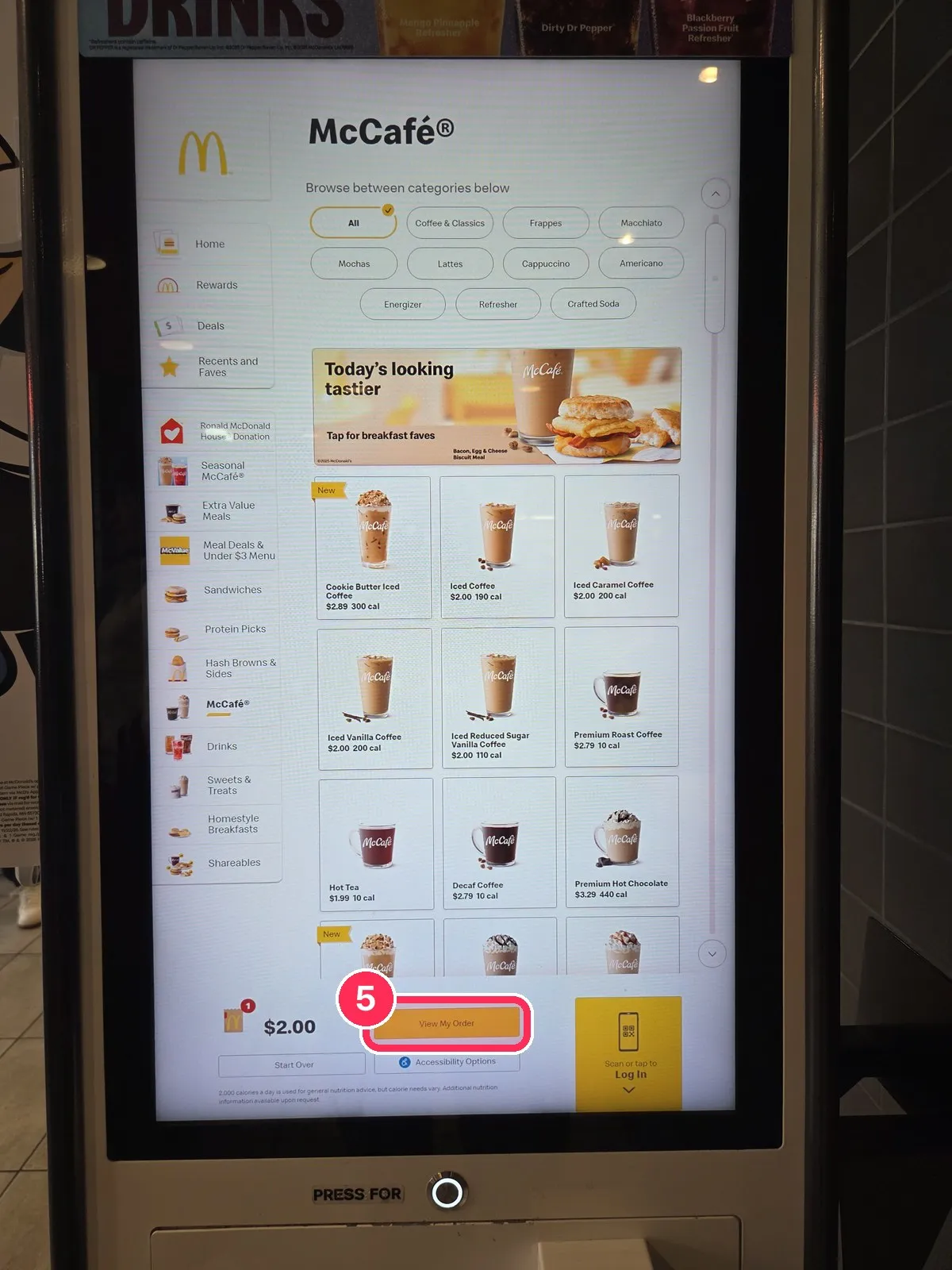
⑤ When the amount changes, View My Order
⑥ Suggested items — Maybe next time
Try these, too! It suggests
items to buy along with your order.
If you don’t want any, tap Maybe next time.
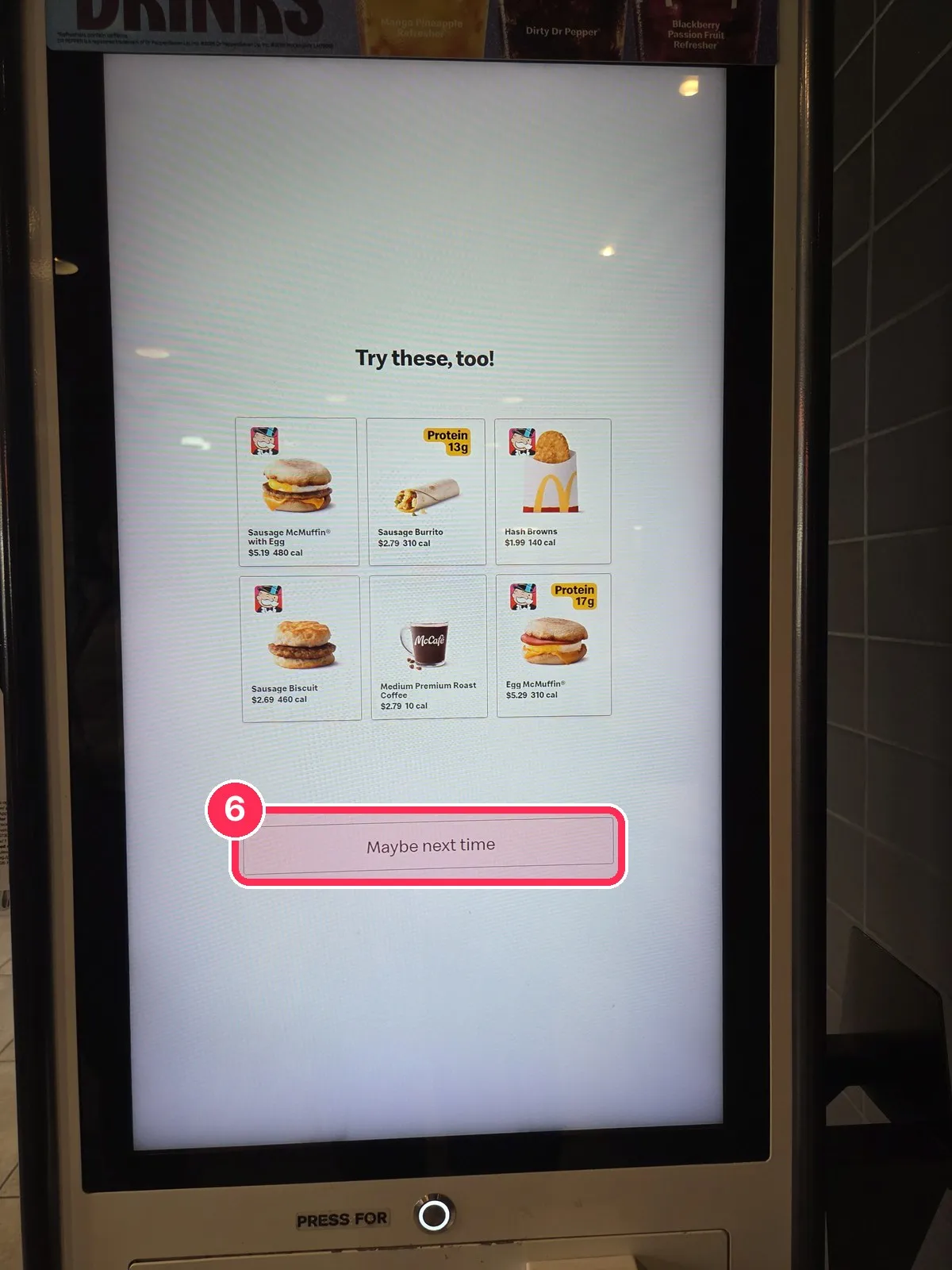
⑥ If you don't need the suggested items, Maybe next time
⑦ Donation — Not Today
It asks about a Ronald McDonald House donation.
(Round up $0.84 · $1 · $3 · $5)
If you don’t want to, tap Not Today.
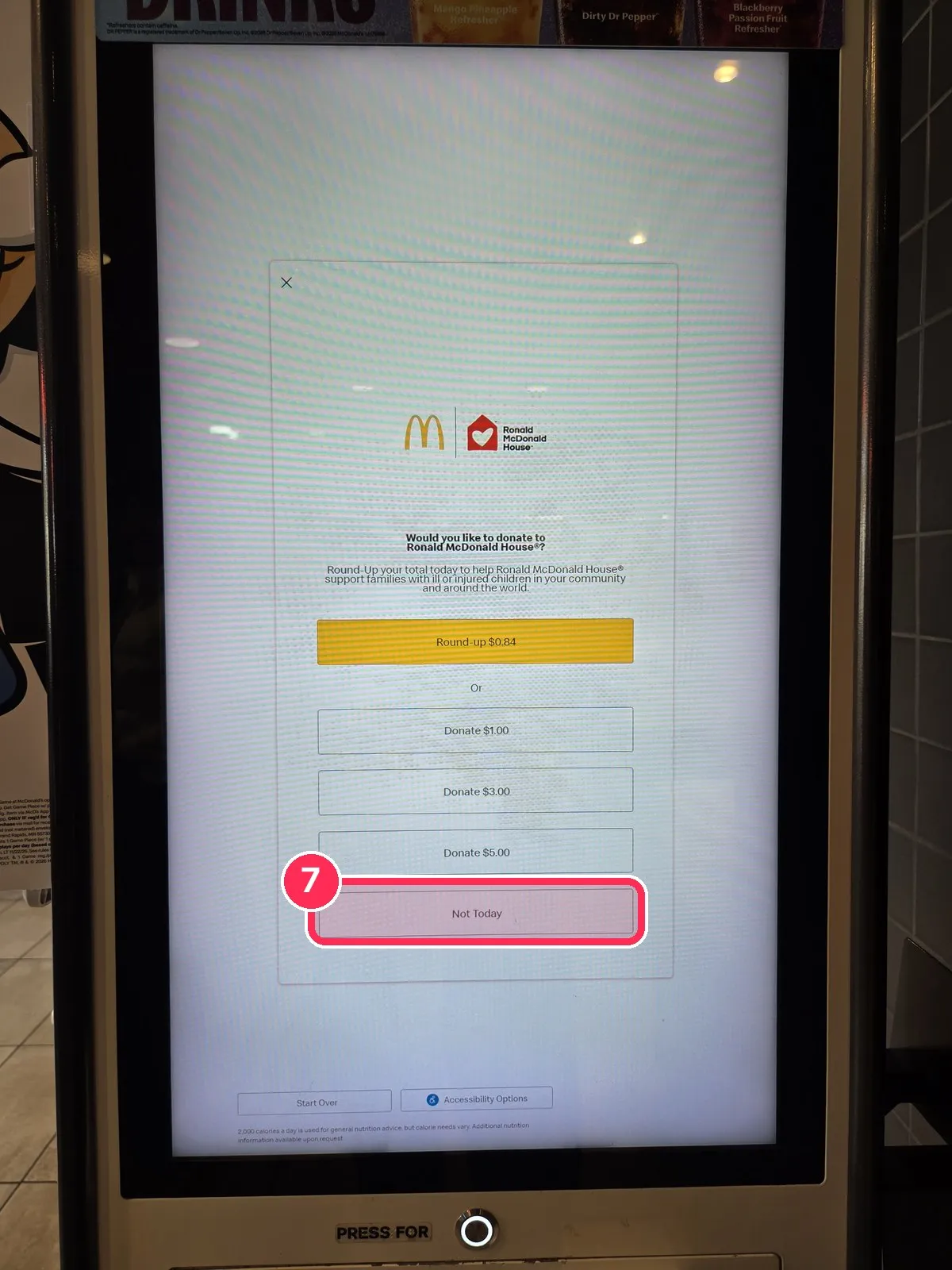
⑦ If you don't want to donate, Not Today
⑧ Where to eat — Here / To Go
Tap Here to eat in,
or To Go to take it with you.
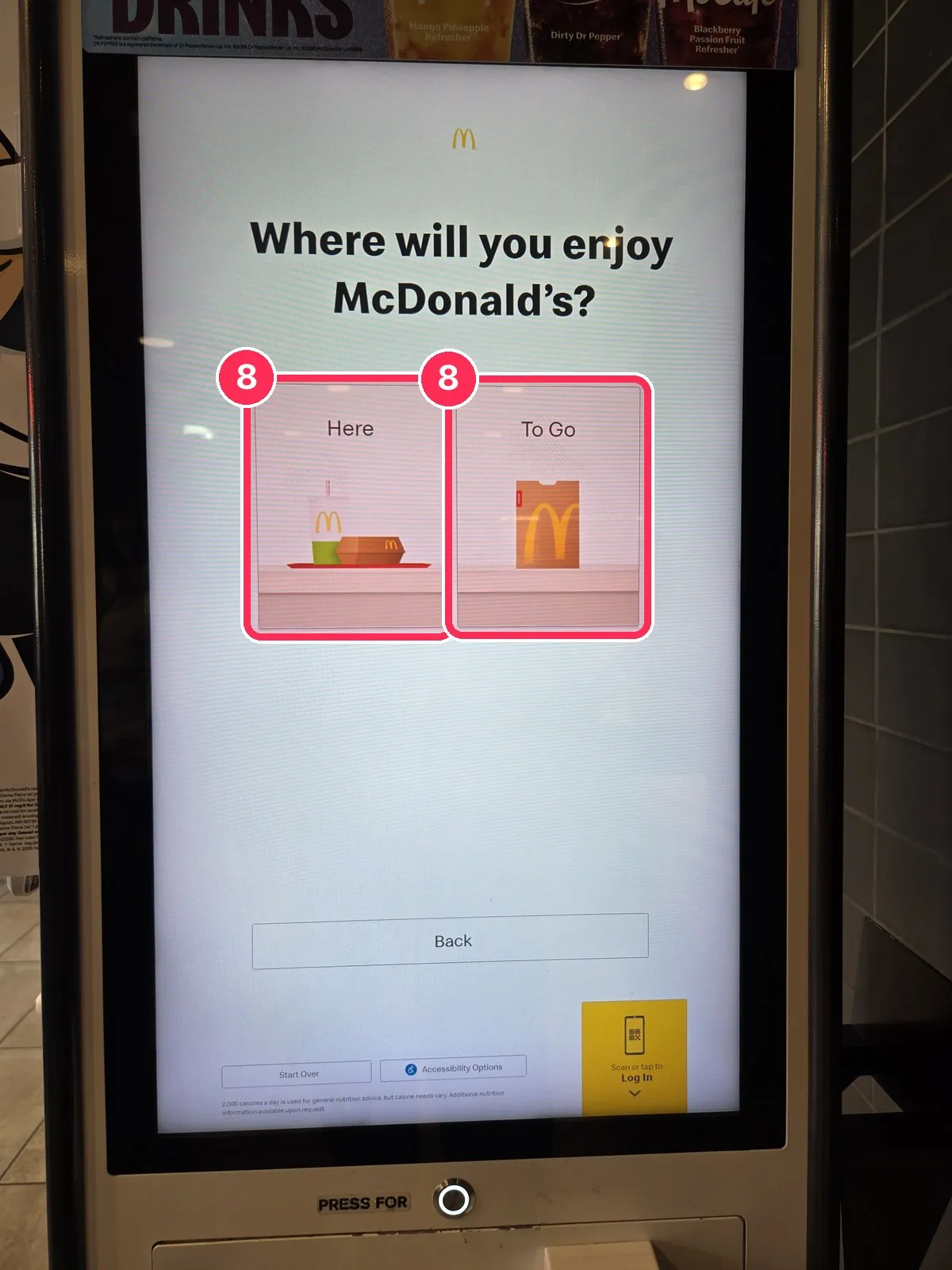
⑧ Here to eat in, To Go to take it with you
⑨ Check and finish — Complete Order
Medium Iced Coffee $2.00
plus $0.16 tax makes a total of $2.16.
Tap Complete Order
and pay, and you’re done!
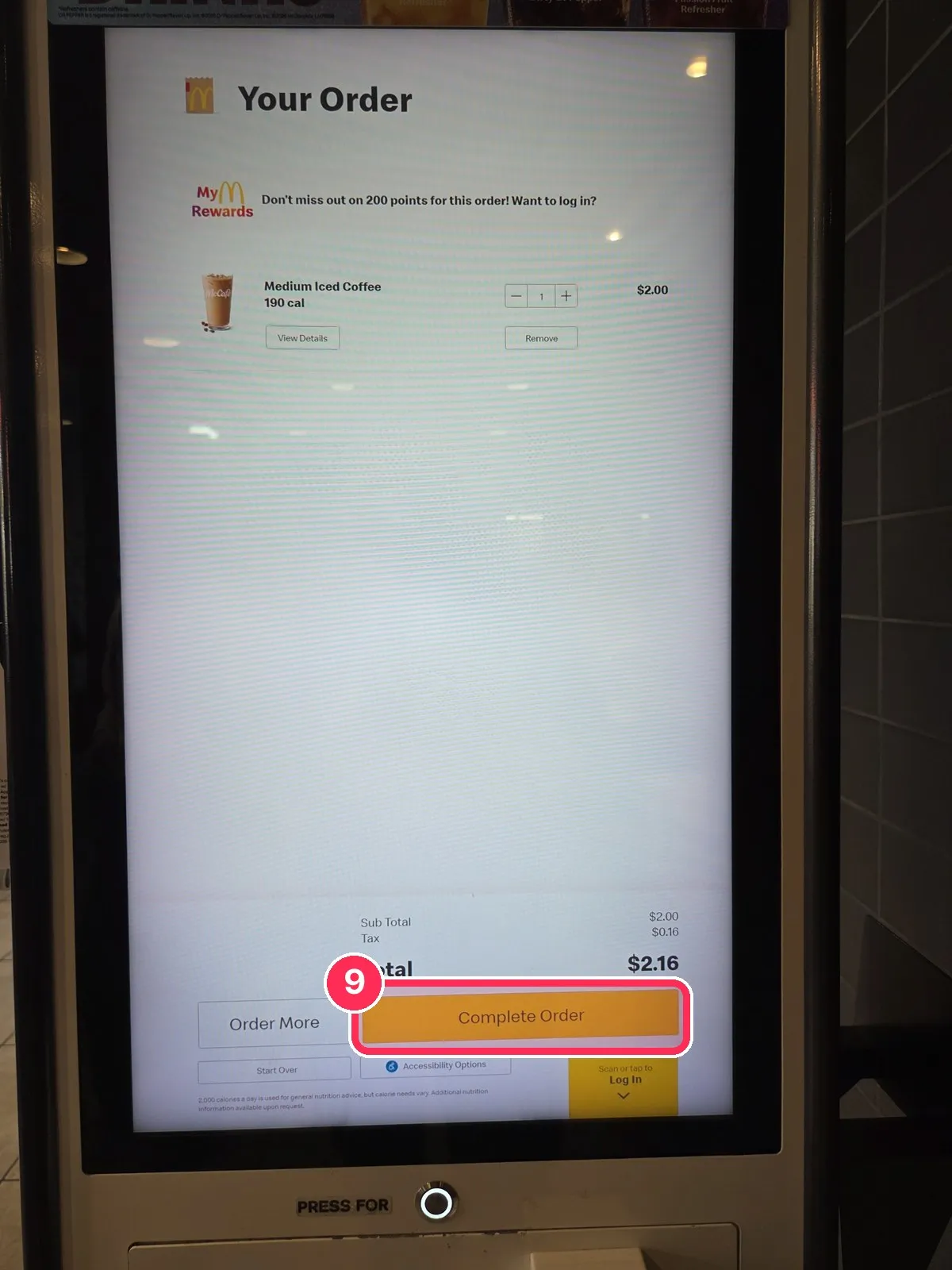
⑨ Check the total and Complete Order
🥛 Why the Iced Coffee Was a Latte

I’d had a Korean-style
iced americano in mind
when I ordered the Iced Coffee,
but a latte-like coffee came out.
Looking at the screen again,
the black Premium Roast Coffee was 10cal,
and the Iced Coffee was 190cal.
check the Americano category at the top
or Customize Ingredients
first!
👍 Who I’d Recommend It To

✔ Anyone using a US McDonald’s kiosk
for the first time
✔ Anyone looking for
an iced americano
✔ Anyone stopping for a short rest
on the way to Charleston
At a US McDonald’s kiosk,
tap in this order!
More from this trip — Day 1 Korean Air Incheon→Atlanta · Texas Roadhouse · Day 2 Residence Inn Harbison Breakfast · Day 3 Trader Joe’s · CVS Pharmacy · Day 5 Konnichiwa Japanese Restaurant · Day 6 Liberty On the Lake · Day 7, continued: Cypress Gardens, Part 1
Based on our visit in October 2026. Prices, menu and kiosk screens may differ by store and time. The red marks on the kiosk photos were added by Nadeuli Log. Not sponsored. Location and shooting data have been removed. Character illustrations were generated with GPT.